How to Redeem Rat Lab Codes
UI path, troubleshooting, and scam filters for when real promo codes go live.
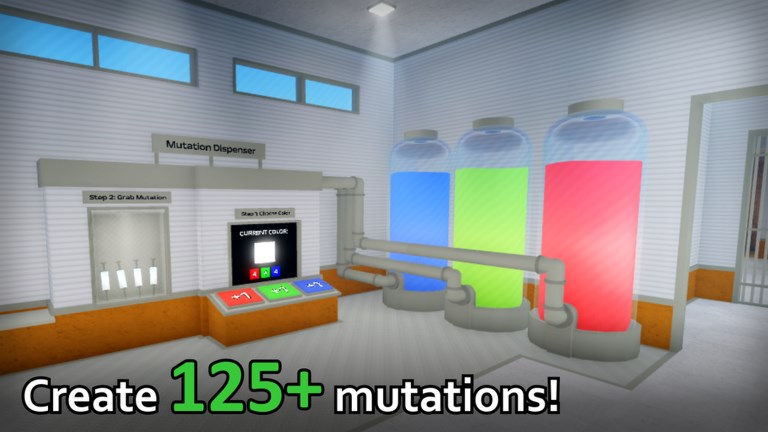
Rat Lab does not currently ship a confirmed public promo-code list, but knowing the redeem flow ahead of time saves a frantic search the moment Evil Science drops a string after an update, like goal, or Discord event. This guide walks through how Codes UIs usually appear in Roblox experiences like Rat Lab, what to try when a code fails, and how to avoid fake-code scams that target players hunting gifts.
For live status — including the honest no working codes confirmed note — start at the Codes Hub. For Mutation Index colour markers that are not redeemable promos, use the Mutations guide instead.
Before you hunt for a Codes button
- Confirm you are in the real experience: open Rat Lab from the official Roblox game page listed on Official Links, not a copycat place with a similar name.
- Finish the lobby load and make sure your account can save progress (not a restricted guest session).
- Have the code copied exactly from an official source — group shout, Discord announcement, or in-game banner — not from a random chat whisper.
- Remember that session tool unlocks reset each join. Redeeming a promo (when one exists) is separate from temporary tool progress; do not confuse a failed unlock path with a failed code.
Typical path to the Codes UI
Roblox labs vary, but Rat Lab–style experiences usually expose redeem in one of these spots:
Lobby / main menu
After you join, look for a Codes, Rewards, Gifts, or Twitter/X style button on the left or right of the lobby HUD. Some games tuck it under a gift-box icon or a Settings gear → Codes tab. Open every obvious menu once so you know the layout before a limited-time code expires.
Pause / phone / tablet menu
If the lobby is clean, press the in-game menu key (often the Roblox escape menu is separate from the experience UI). Scan tabs labelled Shop, Passes, Rewards, or Codes. Forever passes and the Mutation Codes pass added mid-September 2026 may sit near shop UI — do not buy a pass thinking it is a free promo redeem.
NPC or kiosk
Some maps place a redeem terminal near spawn, the scientist wing, or a security desk. Walk the spawn room once; if an interact prompt says Redeem / Codes / Enter Code, that is your station.
When a code field appears:
- Click the text box.
- Paste the code carefully (watch for leading spaces).
- Press Redeem / Submit / Claim.
- Wait for a success toast or inventory ping before leaving the server.
Step-by-step when a code is announced
- Copy the string from the official post (prefer Discord or group shout mirrored on Updates).
- Join a fresh Rat Lab server so UI assets are current after a patch.
- Open the Codes UI using the path you scouted above.
- Paste once — avoid typing from memory if the string mixes letters and numbers.
- Redeem, then check inventory, currency, or mail for the reward.
- If the reward is cosmetic or a boost, rejoin only after it appears; rejoining mid-claim can confuse some experiences.
Troubleshooting failed redeems
| Symptom | Likely cause | What to try |
|---|---|---|
| Invalid / wrong code | Typo, outdated list, or fake paste | Re-copy from official source; check O/0 and I/1 |
| Already redeemed | One-time per account | You are done; no second claim |
| Expired | Timed event ended | Drop it; watch Codes Hub for replacements |
| Button missing | UI not shipped yet / wrong place | Confirm you are in the real Rat Lab experience |
| Nothing happens | Lag or soft lock | Rejoin, disable overlapping free-cam scripts, try again |
| Asks for password off-site | Scam | Close immediately |
If Mutation Index colours were what you typed, stop — those belong to science gameplay, not the promo box. Read Mutations.
Fake code scams (and how to spot them)
Scammers know “codes” is a high-search topic for new Roblox games. Common traps:
- “Verify on this site first” — phishing pages that steal cookies or ask for password resets.
- “Private Discord code for Robux” — real promos never require you to pay or gift Robux back.
- “Trade me your limited for a code” — classic bait; walk away.
- Lists full of other games’ codes — strings that work in Grow a Garden–style titles will fail in Rat Lab and waste your session.
- Selling Mutation Index colours as secret promos — colours are lab systems, not gift keys. See Mutations.
- Executor / script “auto redeemers” — risky, often malware, and unnecessary for a text box. Prefer the Scripts Hub safety notes and stick to official play.
Rule of thumb: if someone pressures you to hurry, leave the Roblox client, or enter account credentials, it is not a real Rat Lab code drop.
What codes will not replace
Even when promos exist, they do not replace fundamentals:
- Learn roles on the Teams Hub — Lab Rats, Scientists, Security.
- Practice the three-stage escape and Getting Started checklist.
- Track tools on Tools & Unlocks and the tools tier list. Session unlocks reset each join, so plan every round.
- Vest when available for +50 HP before hard chases.
After a successful redeem
- Note the reward so you do not re-farm a one-time code.
- Check whether the gift is account-wide or session-only.
- Continue the match — standing AFK in the Codes menu is free bait for Security nets and batons.
- Report working codes back to wiki maintainers by pointing at the official announcement so the Codes Hub can stay accurate.
Related reading
- Codes Hub — live promo status
- Mutations — colour codes that are not promos
- Updates Hub — patch timing when codes are most likely
- Official Links — group, Discord howto, game page
- Guides Hub — escape, scientist, and security tutorials
Stay patient, stay on official channels, and treat every “secret unlimited code” list as guilty until proven on the real Codes UI.
Frequently Asked Questions
Quick answers for Rat Lab players.
Why can’t I find a Codes button?
Rat Lab may not expose a Codes UI until the first official promo ships. Confirm you are in the real experience, then recheck lobby, menu, and spawn kiosks after updates.
A code from a YouTube thumbnail failed. Why?
Many thumbnails recycle codes from other games or invent strings. Only redeem codes posted by Evil Science channels or mirrored after verification on the Codes Hub.
Is the Mutation Codes pass a promo code?
No. The Mutation Codes pass is a gamepass-style purchase added mid-September 2026. It is separate from free typed promo codes.
Can scripts auto-redeem codes safely?
We do not recommend third-party executors. They risk your account and are unnecessary for a simple text field. See the Scripts Hub for safety context.